
Name-Based Case Searches
Pick the right court before you type a name. That choice shapes every Rains County docket search you run. The county has two district courts and a constitutional County Court. It also has one countywide Justice of the Peace, plus municipal courts in Emory, East Tawakoni, and Point. Use the Texas court directory to match a court to the county and its type. Just keep in mind it lists courts rather than case records.
Where does the filing live? Felony charges in district court and broad civil matters generally sit with the District Clerk. Misdemeanors filed at the county level sit with the County Clerk. So do probate, guardianship, and county civil matters. A citation from a city stays in that municipal court. It moves only if a later proceeding transfers it.
Rains County also appears in the LGS Online Record Search, which advertises a Guest Login. Treat its search fields with caution. Until you see the live interface, do not count on a last-name box, a wildcard, or a date filter. A reliable sequence looks like this:
- Identify the court level and case type before entering a name.
- Open the county-linked LGS portal and use Guest Login if available.
- Try the full name and narrow it only with filters the portal provides.
- Compare each result with the court, filing date, and cause number.
- Call the correct clerk if a result is missing or certification is needed.
Note: A shared last name proves nothing. Match the court, the dates, and the cause number before trusting any Rains County result.
Rains County Date-First Docket Route
The county's most visible search tool is not a name database. The Rains County Dockets page posts date-specific County Court criminal, civil, and probate lists. The District Clerk page carries district criminal and civil PDFs. Pick the court and docket type, then open the current date. Search the PDF with the viewer's find tool for a cause number or term. This route can surface a hearing even when a portal index is out of reach.
Read the PDF header first. It names the court, county, docket type, hearing date, and a run timestamp. That run time marks when the list was built, not when the hearing starts. Rains County warns dockets may change daily. A cancellation PDF has appeared for an 8th District setting. For an urgent date, reopen the live county page and confirm with the clerk. A saved copy is not the last word.
When a name is uncertain: Search the date list for the cause number, lawyer, case style, or reason set already known, then verify the match.
Case Number Searches
A full cause number is the safest key. Names get shared, misspelled, and reordered, but the number stays put. Official Rains County district samples show numeric-looking identifiers, including bare numbers in the 68xx range. No official format guide exists. Enter a number such as 68xx exactly as printed. Do not add a guessed year, court code, dash, or case-type prefix.
Copy the identifier from a notice, pleading, bond paper, or docket PDF. Keep the court name beside it. If a portal rejects it, try only the variations the interface itself offers. A partial number can flood you with matches or return none at all. The clerk can say whether an older matter uses a legacy format. The number alone never tells you whether the file belongs to the 8th District, the 354th District, County Court, JP, or a city court.
Rains County Partial Case Number Caution
The statewide guide permits several search paths. But no official Rains County source says how much of a cause number a local portal accepts. A partial number may pull unrelated matters or skip the intended case. It can also match records from several participating courts at once. Keep the court name and filing date beside every tentative hit.
If the printed number fails, do not invent a year-and-type format. Check the date-first county PDF. Then read the complete number to the District Clerk, County Clerk, JP, or municipal clerk that keeps the file.
Four Rains County State Search Paths
re:SearchTX adds the statewide layer. Its official guide splits work into Cases, Filings, Text, and Hearings. Those choices are not interchangeable. Advanced options may offer filters for location, court, case category, filing, document, or hearing. You will need registration or eFileTexas credentials, and document charges may apply.
- Cases
- Use to identify a case and open its available case detail.
- Filings
- Use for indexed filing events or accessible documents.
- Text
- Use for terms within searchable document text, not as a full name index.
- Hearings
- Use to look for settings recorded in the statewide system.
The guide also describes export and saved-search controls, though public access varies by case, filing, and court integration. Treat criminal material and sensitive filings as especially poor bets for complete statewide coverage. The statewide entry screen appears at the official re:SearchTX source, which shows the sign-in and search options the system provides.
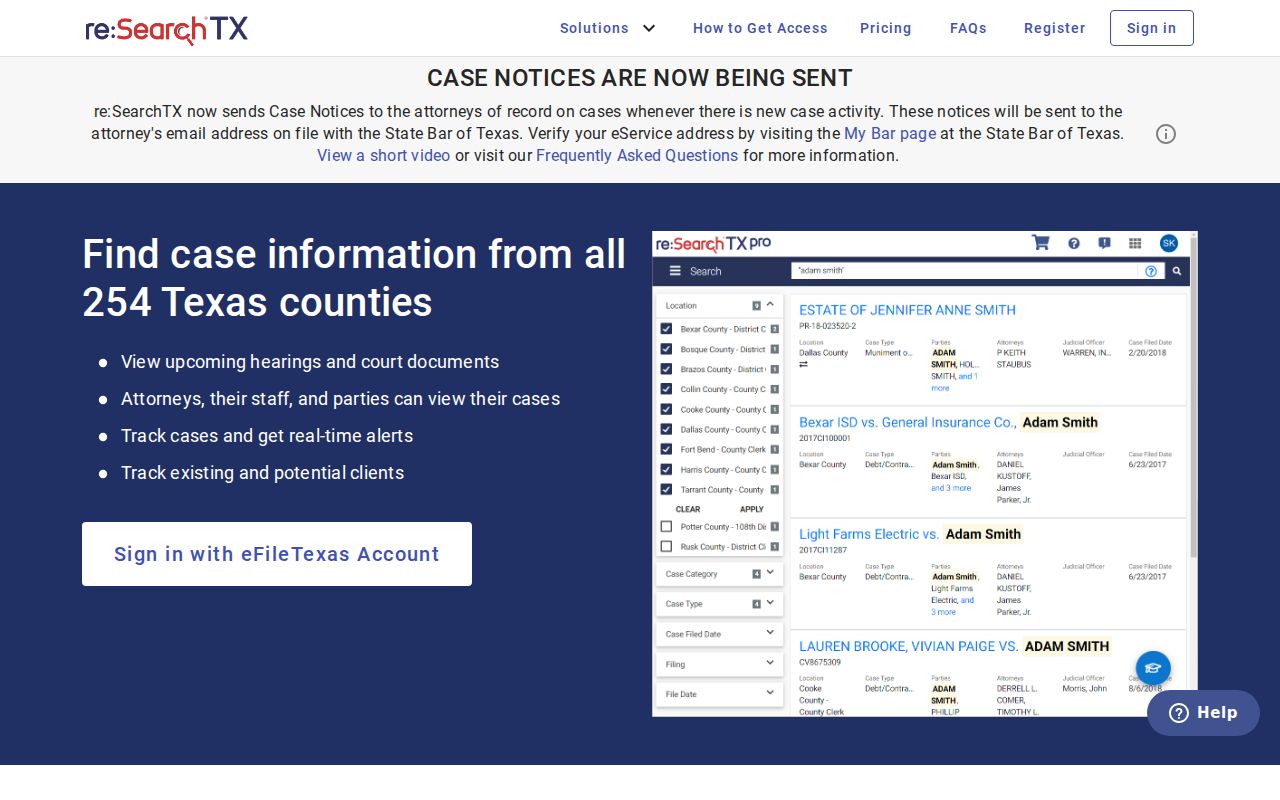
That screen is only a starting point, not proof that every Rains County case or filing appears inside.
Case Search Results Explained
County PDFs and statewide details answer different questions. A Rains County docket row is mainly a schedule record. District criminal lists carry case number, file date, style, attorney or bondsman field, and bond amount. They add case type, offense date, reason set, time, and comments. Civil lists show case number, file date, style, and attorney or person data. They add case type, reason, time, and comments. Online details may add filing and hearing links where access allows.
| Case number | The cause identifier used to match the docket to the file. |
|---|---|
| Court and docket | The court level, list type, hearing date, and production timestamp. |
| Style of case | The court caption; verify it with other fields before identifying a match. |
| Reason set | The scheduled purpose, such as arraignment, pretrial, plea, or final announcement. |
| Comments | Administrative notes that may mention a reset, custody, an item needed, or status. |
A code marked "final" in a docket row still is not the judgment itself. Words like "passed," "in custody," "need CJIS," or a competency note describe status, not the judge's ruling. Want the actual outcome? Ask the clerk for the order, judgment, or filing. When a docket row leaves questions open, the wider Rains County court case records process takes over.
Rains County Court Filters Matter
Picking the wrong court docket sinks a Rains County case lookup before it starts. County-level district matters split between the 8th and the 354th Judicial District Court. The County Clerk keeps County Court records. That is a different animal from a county court at law. One countywide JP handles limited matters. Emory, Point, and other incorporated cities each run their own municipal court. Appeals climb to the 12th Court of Appeals. Federal cases skip the Texas trial system entirely and land in the Eastern District of Texas.
The official Texas local-rules search shows this. The county, court group, and court type fields narrow a court source down.
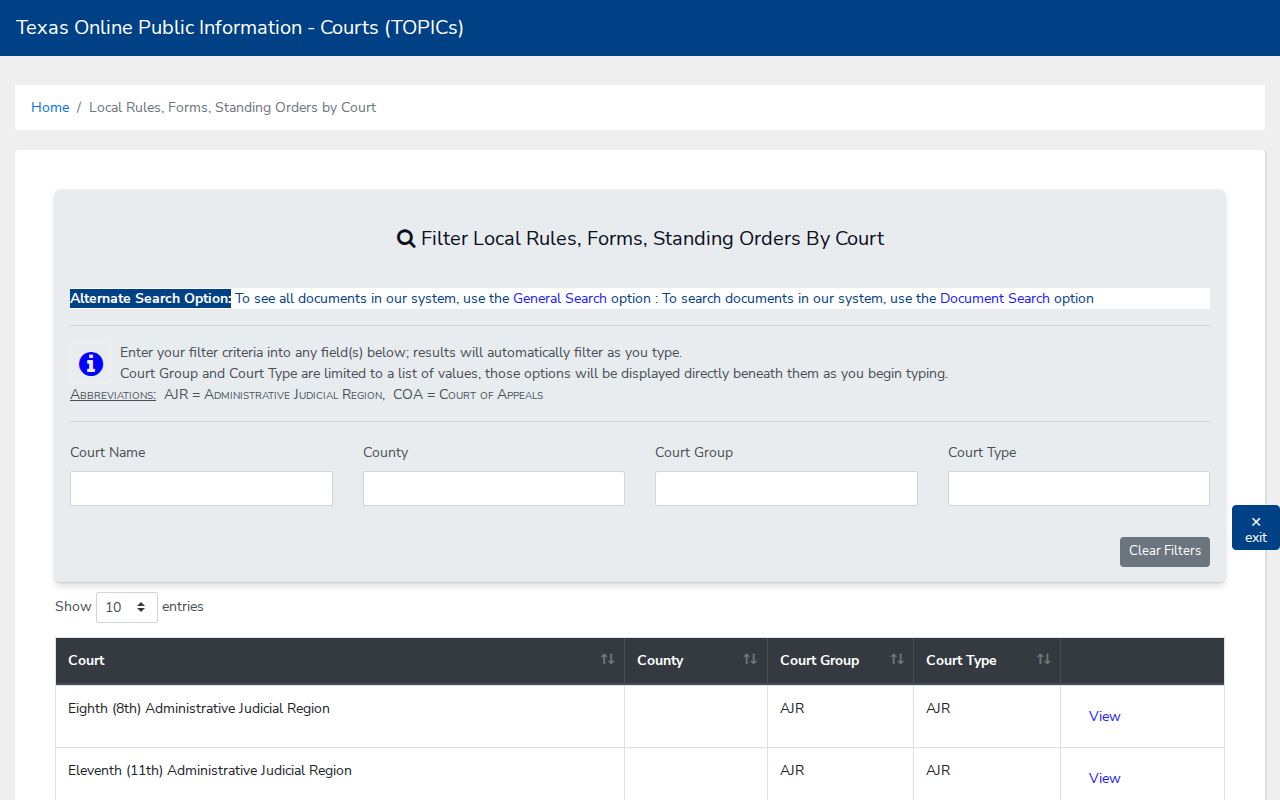
Remember what these filters do. They find rules and courts, not parties, though they do help confirm which Rains County court docket deserves the search.
Two Ways to Search: County and State
Run both layers when one source comes up thin. Start with the county route first. Use it for a known Rains County date, a local court, or a published PDF. Turn to re:SearchTX when the local source stays unclear or a filing or hearing might surface in statewide data. Neither counts as a clerk-certified record. LGS links to the county, but its fees, coverage, and current result fields remain unverified.
| Route | Best use | Known limit |
|---|---|---|
| County PDFs | Current lists by court and docket type | Not a full event history or name database |
| LGS search | County-linked guest or account route | Live Rains fields not verified |
| re:SearchTX | Cases, filings, text, and hearings | Registration, fees, and coverage limits |
| Clerk | Verification, missing entries, and certified copies | Must choose the custodian for that court |
Rains County Forms and Orders Search
A case search and a rules search answer different questions. Need a local form, standing order, or filing rule? Open the Texas local rule document search. Its fields cover document type, title, county, court group, and court type. Rules, forms, and standing orders all show up in the results. A Rains-related bail and magistration order appears there too. That order is procedure, though. It is not a case docket or calendar.
The state interface displays the filters available for Rains County documents.
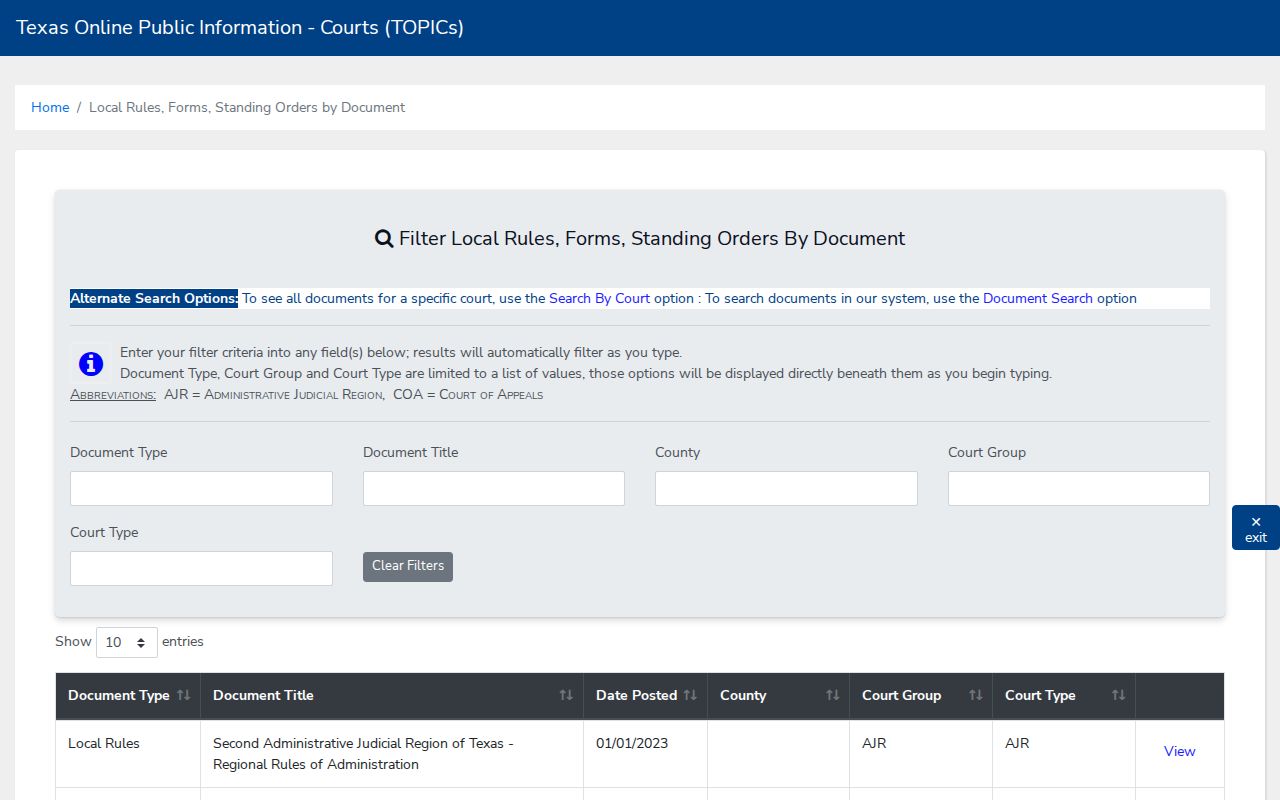
Treat the repository as a way to learn procedure, then go back to the clerk or docket source for any named case.
Rains County Municipal Docket Detour
A citation filed in Emory, East Tawakoni, or Point normally stays out of the county docket search. Go to that city's municipal clerk first. The city court can confirm its own cause number, the response date, and how to reach the record before any county appeal route opens up.
Rains County Criminal Search Fallback
A statewide result is a poor place to stop on a criminal docket. Judicial Council materials note real limits on criminal records in the statewide corpus. So call the District Clerk for a district felony file, or the County Clerk for a County Court misdemeanor file, whenever the electronic record comes back blank or thin.
Rains County Certified Record Stop
Once the exact cause number and document are in hand, stop searching broadly. A portal view can point you to the matter. Need a certified judgment, order, or disposition? The appropriate clerk is the only route. Ask about current copy and certification fees before you place the order.
Which Cases Stay Restricted
A blank result never proves a case does not exist. Juvenile, child-protection, sealed, expunged, nondisclosed, and sensitive-data records can sit hidden or partly indexed. Texas Family Code chapter 58 governs juvenile confidentiality. The Northeast Texas Child Protection Court page offers a Rains County date selector. That calendar will not open protected family files.
Adjudicative court case records get special treatment. They are not processed as ordinary county records under every part of the Texas Public Information Act. The Texas courts open-records policy draws that distinction. Rule 12 covers judicial records, not the ordinary case file. Ask the clerk which statute, rule, or order controls. Never read a gap in an index as proof of sealed content.
Online coverage may be incomplete. The proper Rains County clerk can explain whether a missing result reflects court choice, formatting, restricted access, or an index gap.