
Rains County Docket Change Notice
The county's own Rains County docket page posts the calendar links, the court venue, and a warning that settings can shift day to day.
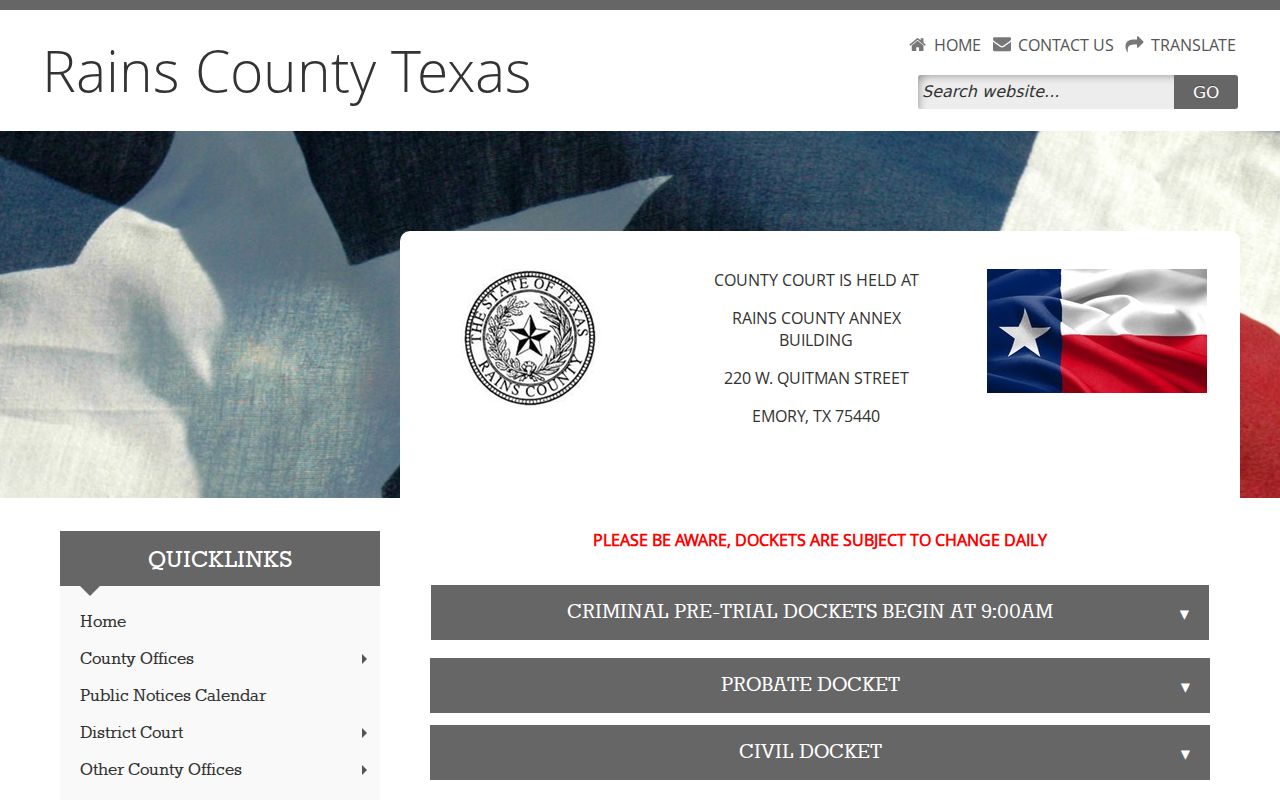
That warning is the rule to remember. Check the current source for any Rains County court date, and confirm a near-term setting with the clerk before you rely on it.
How the Rains County Court Calendar Works
Two offices split the calendar work. The Rains County Dockets page is the main index for County Court criminal, civil, and probate settings. The District Clerk page posts its own PDFs for district criminal arraignments, pretrials, and civil hearings. Those cover separate dockets. Keeping the two straight matters. It keeps a County Court date from being confused with an 8th or 354th District setting.
Each link opens a docket for one date. It is not a searchable database of every case. Start with the current page, since older files get moved or replaced. The county states plainly that its dockets are subject to change daily. A saved PDF is a clue, never a promise the hearing still stands.
Rains County Date Index by Court
Asking for "the county calendar" can mean several things in Rains County. District felony cases and broad civil matters sit with the District Clerk. Misdemeanor, probate, and county civil dates run differently. They go through the County Clerk and the county docket page. JP and city cases stay with their own courts.
| Calendar lane | What it may show | Confirmation route |
|---|---|---|
| 8th or 354th District | District criminal and civil settings | District Clerk |
| Rains County Court | Class A/B misdemeanor, civil, probate dates | County Clerk |
| Rains Justice Court | JP traffic and limited civil events | Justice of the Peace |
| Municipal court | City ordinance and Class C settings | Issuing city's clerk |
| Child Protection Court | Specialty calendar dates with access limits | Northeast Texas CPC #2 calendar |
Trust the court named on your citation, notice, or pleading over the county name alone.
Rains County Court Date Lookups
Collect your details first: full cause number, court name, case style, and the date you expect. Then scan the PDF for that cause number. If your case is missing, look at other posted dates only when the court and docket type still match.
- Identify the court level from the citation, notice, pleading, or prior docket.
- Open the current county docket index or District Clerk list and select the right type and date.
- Search the PDF for the cause number, then confirm the style and reason set.
- Compare the run timestamp, hearing date, time, and court header.
- Try LGS or re:SearchTX when appropriate, while recognizing that coverage may differ.
- Call or visit the proper clerk for an urgent, missing, or changed setting.
Both clerks share one phone line, 903-473-5000. The District Clerk takes extension 101. It sits at 220 W. Quitman Street, Suite C, Emory. The County Clerk is in Suite B at extension 103. The JP lists 903-473-5000 and 167 E. Quitman Street, Suite 101.
Note: No official source confirmed a public courthouse terminal, so do not plan a visit on the assumption that one is available.
Read Rains County Docket Timestamps
Every docket PDF carries a timestamp. That stamp tells you when the calendar file was generated, nothing more. It is not the filing date. It is not the offense date, and it is not the hearing date either. In the criminal PDFs, the timestamp sits up with the header. The date information sits right there too. This gives you a quick sense of how stale a saved Rains County docket might be.
Put that time beside the live county page. Do that before you rely on either one. A file generated days or weeks back could hide things. It could easily hide a reset. It could also hide a cancellation that happened after it was made. Even a fresh timestamp loses to a direct notice from the court. When two sources disagree, save the cause number and court name, then call the clerk.
This freshness check matters most for some settings. Think travel, counsel, witnesses, or a deadline tied to your appearance. Let Rains County's daily-change warning govern whatever the PDF says.
Court Settings: What Each Field Means
A Rains County setting pairs a date with fields that tell you which case it is and why it appears. Criminal and civil layouts differ, but both carry identifiers, a stated purpose, a time, and comments. Read the whole row. One label alone can mislead.
| Date | The scheduled hearing date shown by the docket link and header. |
|---|---|
| Time | The planned start or case setting time, subject to court control. |
| Court | The named court, such as the 8th or 354th District Court or County Court. |
| Case number | The cause identifier used to match the setting to the file. |
| Reason set | The scheduled purpose, such as arraignment, pretrial, plea, or civil hearing. |
| Comments | Added status or administrative notes that do not state the final result. |
| Run timestamp | The time the PDF was generated, used as a freshness clue. |
A civil field marked "final" is only a calendar label; it does not prove judgment was entered. A criminal bond or custody comment decides nothing about guilt or sentence.
Rains County Court Pretrial Time
The county docket notice sets County Court criminal pretrial dockets at 9:00 a.m. That fact applies to one docket lane only. It does not reach every Rains court or every case. The individual PDF and any direct court notice still control.
The line matters. District criminal dockets may also show 9:00 a.m. A civil hearing or municipal court runs on its own clock. Never carry one calendar's time onto another. Confirm the court, the date, and the reason for the setting together.
Follow the court's own instructions for arriving or appearing. The county publishes no general remote-hearing rule, parking promise, or security policy. It posts no courtroom assignment for every docket either. Ask the clerk handling your case about logistics.
When a Court Date Moves
A reset moves the matter to a different setting. A continuance pushes a planned event back by court action. A cancellation can wipe a date off the docket entirely. The official district list even includes a cancellation PDF for an 8th District setting. That makes the county's daily-change warning very real.
- Setting
- A planned court appearance or hearing.
- Reset
- A move from one setting to another date or time.
- Continuance
- A court-approved delay of a proceeding.
- Passed
- A docket comment showing that a setting changed; it is not a dismissal.
- Reason set
- The planned purpose of the appearance, not the result.
Old PDFs linger on phones and computers long after a date changes. Go back to the current source and call the clerk. A missing date explains nothing by itself.
Rains County Court Date Check
A Rains County court date check rests on three details: the cause number, the court, and the date. Miss one and things go sideways. A number alone can misroute your call to the wrong court. A date alone may dump you into a long list of settings. Even a matching name stays murky when the case style is redacted or cut short. The full trio beats any single detail.
Be careful with the number itself. The criminal sample showed numeric-looking case numbers. Yet no official rule lets you convert them into a year-based pattern. A civil sample ended in “TX.” That one example is not a universal format. Copy the identifier exactly as it appears on the filing or notice.
Quick check: Read the header first, then match the cause number, setting date, reason set, and time. If one field conflicts, ask the clerk before acting.
Rains County Probate Court Calendar
Probate dates run in their own lane on the county docket index. They do not belong on the district civil list. The County Clerk keeps probate and guardianship records. The District Clerk handles district civil matters. So the office you call depends on which type of case you have.
The Northeast Texas Child Protection Court #2 calendar includes a Rains County date selector. Treat it as a specialty calendar rather than a general civil search. Child-protection case information may be restricted by law or by order. And seeing a hearing date does not open every pleading to the public.
Some settings run into 2027. Recheck those dates instead of copying them as standing orders. Use the live selector. Confidentiality rules still apply.
Rains County Docket PDFs Versus State Search
A blank portal screen answers nothing about a known date, but the local PDFs usually do. Each file shows the court, docket type, cause number, reason set, time, and comments. The catch is scope. One PDF covers one listed date and gives no full case history.
For wider digging, re:SearchTX searches Cases, Filings, Text, and Hearings according to its official guide, with filters for court and category. Registration may be required, and some documents carry fees. The state itself notes limits on its coverage. LGS is linked from the county.
Pair the tools. Use the PDF for the immediate list, a portal for broader research where one is available, and the clerk for final confirmation. For a deeper lookup, the Rains County docket search compares those routes.
Missed Settings and What Comes Next
Missed a Rains County setting? Contact the court that issued the notice right away. Do not assume the case was reset, dismissed, or resolved, because the consequences and the next available step depend on the court, the case type, and any order entered.
Act promptly. Call the proper clerk with the cause number, court name, missed date, and current contact information. Ask whether a new setting or order has been entered.
Where you call depends on the court. District matters go to the District Clerk. County Court matters go to the County Clerk, and JP and municipal citations stay with the issuing court. If counsel represents a party, follow counsel's instructions and any direct court notice.
After the call, request or review the new docket entry or the signed order. A phone explanation helps, but the official record controls.